

Why Video Quality Actually Matters on an AI Platform
When you spend time building a character, customising her look, and shaping her personality, you want the video output to reflect that effort. Blurry frames, inconsistent faces, or flat lighting break the illusion fast. That is the real reason DarLink AI video quality has become one of the most searched questions about the platform.

The good news is that the platform has made genuine strides in this area. Reddit reviewers in 2025 describe the output as "straight-up premium," pointing to consistent character faces, good anatomy, and proper lighting. A listing on There's An AI For That echoes this, calling the video function "fun and simple" with quality that is "quite high." Those are honest third-party observations, not marketing copy.
What those reviews do not cover is the how. How do you set yourself up to hit that quality ceiling every time, rather than getting hit-or-miss results? That is what this guide is for.
Understanding What Drives Video Output Quality
Think of DarLink AI video generation as a chain. The weakest link in that chain determines your final result. Three things sit at the top of that chain: your prompt, your character setup, and your account tier.
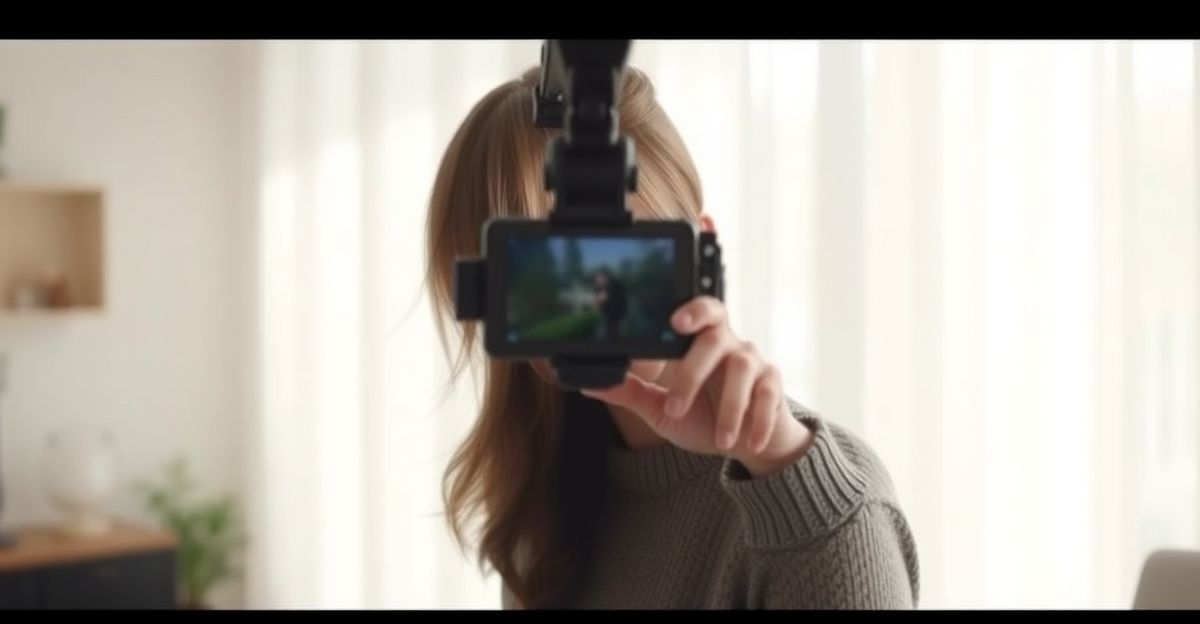
Your prompt tells the system what to render. A vague prompt produces vague output. A specific, well-structured prompt gives the model clear direction on lighting, mood, setting, and movement. If you have not explored how to write stronger instructions yet, spending ten minutes on how to write DarLink AI prompts will pay off immediately in your video results.
Your character setup matters because the AI needs a consistent reference point. If your character's appearance has been defined clearly in the image and chat settings, the video engine has more to work with when it renders movement and expression. Inconsistency in the base setup leads to inconsistency in the video frames.
Account tier affects resolution cap and clip length. Free access gives you a working preview of what the platform can do, but the ceiling is lower. Premium tiers remove many of those constraints. More on that shortly.
Step-by-Step: Improving Your Video Results Right Now
Start with your prompt. Write at least two to three sentences describing the scene, not just the character. Include the setting, the lighting style you want (natural daylight, warm indoor light, cinematic), and the tone of the moment. The more the system understands the context, the better the frame-by-frame coherence.
Next, check your character profile. If her facial features, hair colour, or clothing have been left vague, go back and sharpen those details before generating video. Strong image generation settings carry over into video. The guide on DarLink AI image generation tips covers this in depth and the same principles apply directly to video.
Then think about movement. If you are asking for a dynamic scene with lots of motion, the system works harder to maintain consistency. For your first few videos, try a calmer scene. A simple, well-lit setting with subtle movement tends to produce cleaner output than a complex action sequence. Once you have a feel for how the engine handles your character, you can push into more dynamic territory.
Finally, review the output frame by frame before you download or share anything. Look for consistency in the face across frames, check the lighting does not shift unnaturally, and note whether the setting holds together. If something looks off, adjust the prompt and regenerate. This iterative approach is the single biggest driver of improvement.
The Role of Your Plan Tier in Video Quality
Here is where honesty matters. Free access on DarLink AI is a genuine way to explore the platform, but it is not designed to deliver the highest resolution output. That is not a criticism; it is how almost every AI platform in this space works.
Premium access changes the equation in a few specific ways. Resolution caps are higher, which means more detail per frame. Clip length is typically extended, so you are not cutting off moments mid-scene. Generation speed is often faster too, which matters if you are iterating through multiple prompt variations to find the best result.
If you are serious about getting the best video quality the platform can deliver, looking at the DarLink AI premium upgrade options is a logical next step. Think of it the way you would think about any creative tool: a free tier shows you what is possible, and a paid tier removes the barriers between you and that possibility.
A Thought on Taking Control of Your Results
A few months back, I was at a small workshop in Birmingham with around thirty people. Someone in the room admitted she had spent years avoiding something because she assumed the result would be overwhelming. When she finally looked at it directly that afternoon, she felt relief almost immediately. Knowing what you are dealing with, rather than guessing, gives you actual control.
The same logic applies here. A lot of users generate a video, feel vaguely disappointed, and assume the platform is the problem. When you take control of the variables, step by step, the results shift noticeably. Prompt quality, character setup, and plan tier are all within your reach. The platform is the engine; you are the driver.
Comparing DarLink AI Video to Similar Platforms
The AI companion space has grown quickly over the past two years, with several platforms now offering video generation alongside chat and image features. What sets DarLink AI apart in third-party commentary is the consistency of the character across frames. Many competing tools produce sharp individual frames but lose facial coherence when motion is introduced.
Platforms like Replika have focused heavily on conversational depth rather than visual output. Others have prioritised image quality at the expense of video. DarLink AI's positioning sits closer to a balanced offer: chat, images, and video under one roof, with the video output increasingly matching the quality of the image side. For UK users looking for a single platform rather than stitching together multiple tools, that integration is a practical advantage.
The GDPR framework, which has applied across the UK since its post-Brexit incorporation into UK law, means any platform handling personal data for UK users must meet clear data protection standards. When choosing any AI companion platform, it is worth checking how your interaction data and generated content are stored and processed.
Quick Wins Worth Applying Today
Three changes will lift your video output without requiring any technical knowledge. Write longer, more specific prompts. Tighten your character's visual definition in the profile settings before hitting generate. And if you are on a free tier and finding the output frustrating, consider whether the premium tier aligns with how much you are actually using the platform.
For deeper prompt work, the guide on how to write DarLink AI prompts gives you a structured framework. For visual consistency across both images and video, DarLink AI image generation tips is worth an hour of your time. These are not complicated steps. They are the difference between average output and something that actually reflects the character you have built.
Comments
No comments yet.
Leave a comment
Your email will not be shown. Comments are reviewed before they appear.